

Expandi is a cloud LinkedIn automation platform priced at $99 per seat a month, or $79 a seat on annual billing, and one seat runs exactly one LinkedIn account. Campaigns execute on Expandi's servers through a dedicated, country-based IP, new accounts ramp up through an automatic warm-up, and the sequence builder can branch on whether a prospect accepted, replied or viewed a profile. It fits a solo seller, a founder or a recruiter running one to a handful of accounts. Past that point the per-seat bill, quote-only agency pricing from 10 seats, and paid add-ons for personalized images and video become the real story.
This Expandi review draws on Expandi's own pricing, feature, agency and workspace pages as read on 24 October 2026 (the action and condition lists further down date from 30 September 2026), and every competitor figure lower down was pulled in the same month so the comparison holds together. Instead of walking the feature list in the order Expandi's site presents it, the review starts from the unit you actually buy, the seat, and works outward: what a seat costs at different fleet sizes, what it bundles, what it charges extra for, how its limits and campaign types affect account safety, and where the model stops fitting. For where Expandi sits in the wider category, our guide to LinkedIn automation tools maps the whole field.
Is Expandi worth it in 2026?
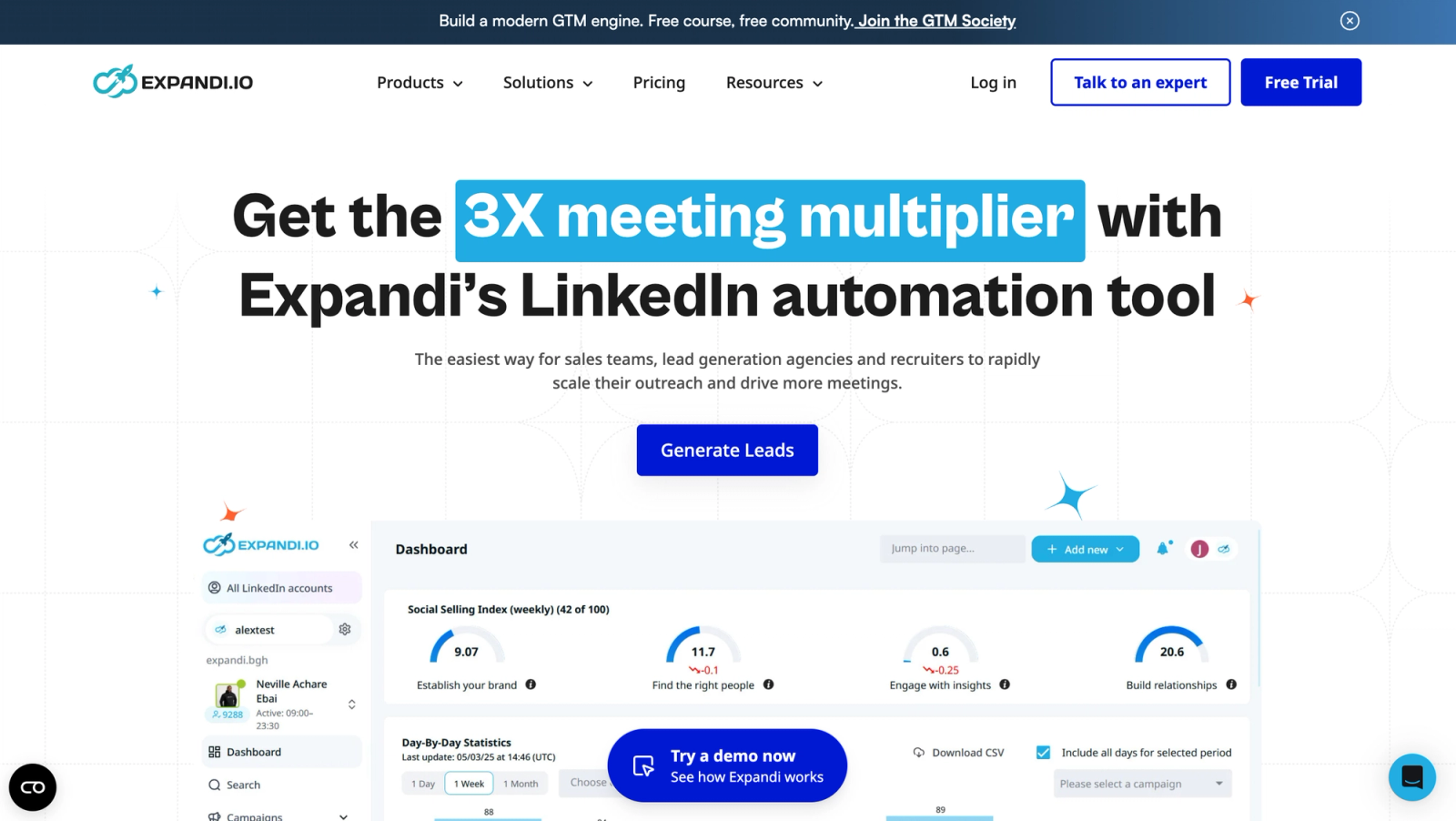
Expandi is worth it for one operator running one account, or a small team running a few, who wants a proven cloud platform with a deep sequence builder and is content to pay a fixed $99 (or $79) for each connected LinkedIn account. The infrastructure is mature, the documentation is thorough, and the if/action branching gives more control over follow-up paths than a linear tool can offer.
It is a harder sell once accounts multiply. Every additional LinkedIn account is another seat at the same rate, there is no published volume discount until an Agency quote at 10 seats, and the two features Expandi markets hardest, personalized images and GIFs through Hyperise and Sendspark video, sit outside the base price with no rate published anywhere on the site. Workspaces are not the constraint: they come with every plan, teammates and roles are free, and only connected LinkedIn accounts add seats.
| Expandi at a glance | What the site says (24 October 2026) |
|---|---|
| Entry price | $99 per seat monthly, $79 per seat on annual billing |
| Billing unit | One seat covers one LinkedIn account |
| Where it runs | Expandi's cloud, dedicated country-based IP per seat |
| Trial | 7 days on the Business plan |
| Agency tier | Custom quote for 10 or more seats or any white-label request |
| Charged separately | Image and GIF personalization via Hyperise, Sendspark video personalization |
What works in Expandi's favor
- A dedicated, geography-matched IP and an automatic warm-up ramp on every seat, operated by a vendor that has run this setup for years.
- If/action branching with named conditions, flexible delays and per-step statistics, so one campaign can treat an accepted, an ignored and a declined request differently.
- Multichannel flows that carry a quiet LinkedIn prospect into an email follow-up without a second campaign.
- A base bundle that already covers unlimited campaigns, templates, tags, scheduling, recovery and duplicate prevention.
What works against it
- Per-seat pricing with no built-in volume break: five accounts cost five times one account.
- Personalized imagery and video are add-ons, and their prices appear neither on the pricing page nor on the personalization page.
- The Mobile Connector adds 50 to 100 connection requests a week on top of the regular ones, which is added exposure presented as extra reach.
- Agency rates are quote-only from 10 seats, with no published volume rate anywhere on the site.
How much does Expandi cost in 2026?
The Business plan is $99 per seat per month when billed monthly. Expandi's pricing page shows $79 per seat per month on the annual toggle, which it presents as a 20 percent reduction and also as two months free. A seat is tied to a single LinkedIn account, so the subscription count moves in lockstep with the number of accounts a team connects. A 7-day free trial comes first, and Expandi's pricing page says the billing period you selected is charged when it ends unless you cancel.
Above that sits the Agency plan, which has no published price. Expandi points anyone running 10 or more seats, or anyone who wants white-label branding for clients, toward a custom quote. The pitch is that the per-account rate falls as the fleet grows, but the pricing page gives no figure, so the real rate at scale only comes out of a sales conversation.
| Expandi plan | Monthly billing | Annual billing | Designed for |
|---|---|---|---|
| Business | $99 for each seat | $79 for each seat | Solo operators and small teams, one LinkedIn account per seat |
| Agency | Quote only, from 10 seats | Quote only | Agencies and white-label buyers, priced on a call |
Because there is no volume tier below the Agency threshold, the Business bill is a straight multiplication. The table below applies the published rate to a few common fleet sizes.
| Connected LinkedIn accounts | Monthly billing | Annual billing |
|---|---|---|
| 1 | $99 | $79 |
| 5 | $495 | $395 |
| 10 | $990 | $790 |
| 20 | $1,980 | $1,580 |
The annual discount is easy to dismiss at one seat, where it is worth $20 a month or $240 a year. At five seats the same switch saves $1,200 a year, and at 20 seats the gap between $1,980 and $1,580 is $400 every month. Anyone modeling Expandi for a real team should run the numbers at the seat count they expect to reach in six months, not at the single-seat sticker price, because that is where the difference between Expandi and a pooled-sender tool shows up.
What is included in the Expandi Business plan?
The $99 seat bundles most of the operational layer a campaign needs. Expandi's pricing page lists unlimited campaigns, campaign prioritization, a centralized dashboard, flexible scheduling, campaign recovery when a step fails, dynamic placeholders, tags and notes on each lead, unlimited templates, duplicate prevention across campaigns, standard integrations and a blacklist for excluding specific profiles or companies. The dedicated IP and auto warm-up come with the seat too, as does the full sequence builder covered further down.
Two things are missing from that list, and both are the features Expandi's marketing leans on: image and GIF personalization through Hyperise, and Sendspark video personalization. Each is listed as an additional cost, and neither has a published rate. That matters for budgeting because a campaign built around personalized visuals will cost more than $99 or $79 a seat, and the amount cannot be worked out from the public site.
How does Expandi personalize messages, and which parts cost extra?
Personalization starts with dynamic fields, first name and beyond, dropped into a template. On top of that Expandi builds personalized images and GIFs, with dynamic image layers for composing a generated visual, the option to upload your own GIFs and images instead of using Expandi's library, and a Hyperise sync for teams already on Hyperise. Expandi's personalization page notes that a subscription is required for the Hyperise sync specifically. A/B testing covers both entire campaigns and individual icebreakers, so two openers can run against the same audience and the weaker one can be retired.
The image and GIF layer, which runs through Hyperise, is the first paid add-on. The second is video: Expandi delivers personalized video through a Sendspark integration, and Sendspark is billed separately from the Expandi seat. If video is central to the plan regardless of vendor, our guide to LinkedIn video messages covers the format itself.
The practical advice is to price the seat and the add-ons as two separate lines. Ask sales for current add-on rates before committing to an annual plan, because a 20 percent discount that looks attractive against $99 alone changes shape once image or video credits are stacked on top. The gap is consistent across Expandi's site: the pricing page names both add-ons as extra cost, and the personalization page that describes them in detail never states a number either.
Which campaign types does Expandi offer?
Expandi's own guide to LinkedIn cold outreach lists ten campaign types, while the homepage advertises 11. This review reports what the guide describes for each type without trying to reconcile the count.
| Campaign type | How Expandi describes it | Typical use |
|---|---|---|
| Connector | The standard connection-request sequence | The default for a fresh campaign |
| Messenger | Messages first-degree connections, no request needed | Re-engaging an existing network before pitching |
| Mobile Simulation | Adds 50 to 100 extra connection requests a week through simulated mobile activity | Only on accounts with weeks of clean, warmed history, if at all |
| Open InMail | Messages members outside your network | Prospects you cannot reach as a connection, on Sales Navigator or Recruiter |
| Company Follow Invite | Targets followers of your company page | Turning page followers into conversations |
| Group | Reaches people without a connection request | Members of a LinkedIn group you belong to |
| Event Invite | Invites up to 1,000 attendees automatically | Filling a LinkedIn event from a large list |
| Inbound | Targets people who clicked on your profile | Following up on visitors who showed interest |
| Recovery | Restarts a stalled or disconnected campaign | Getting a paused sequence moving without rebuilding |
| Campaign Builder | A custom sequence assembled from scratch | Anything the named templates do not cover |
Connector and Messenger are the two most teams will live in. Open InMail plays a similar role to LinkedIn's own InMail for prospects outside your network. Inbound is a quietly useful one: it turns profile viewers into a warm list without any manual export. Mobile Simulation, shown as Mobile Connector inside the app, is the type that deserves the most scrutiny, and it gets its own section below.
How do Expandi smart limits work, and what does the Mobile Connector change?
Expandi's smart limits let you set a range rather than a fixed daily number for each action type: connection requests, messages, Open InMail and event invites. The algorithm picks a different figure inside that range each day so activity does not look mechanically identical, and it never exceeds the top of the range. That single settings screen, which also carries the warm-up toggle, is where most of an account's pacing decisions happen. For a sense of what LinkedIn accounts typically sustain week over week, see our guide to LinkedIn connection limits.
The complication is that Expandi also sells extra volume on top of those ranges. The Mobile Connector campaign adds 50 to 100 connection requests a week through the mobile channel rather than the desktop cloud sender the rest of the campaign uses, with its own daily campaign limit; Expandi's help center says it no longer bypasses LinkedIn's weekly connection request limit. Expandi frames it as additional reach. Read against the limits you just configured, it is still volume on top of your own ceilings.
LinkedIn does not publish a separate limit for the mobile interactions Expandi is simulating, so the 50 to 100 a week figure is a vendor number, not one anyone outside Expandi has confirmed. LinkedIn's help center is the right place to read the platform's general guidance on invitation limits before switching the feature on. For any account that has already been flagged or restricted once, the conservative move is to leave the Mobile Connector off until the account has run several clean, warmed-up weeks again. Adding requests on top of the account's regular limits is precisely the pattern that invites a second look.
How does the Expandi sequence builder handle conditions?
The builder works on if/action logic. Each step can test a condition and route to a different next action, which is the practical difference between a linear tool that sends everyone the same third message on the same day and a routed one that sends an accepted connection down a messaging path, keeps nudging a silent prospect with lighter touches, and stops or reroutes a cold thread instead of pushing a fourth message at it.
Expandi's Smart Campaigns page names the conditions available: If connected, If followed by you, If visited your profile, If email opened, If Open InMail and If post liked. Delays between steps are flexible rather than fixed, so a step can wait a day or a week as the sequence needs. Every step tracks its own statistics, which surfaces a weak step three before it drags the whole campaign's numbers down, and duplicate prevention stops a prospect already in one campaign from being pulled into another.
Between messaging steps, Expandi supports what it calls engaging or warm-up actions, profile visits and post likes, as a way to put a small signal in front of a prospect before a direct pitch lands. Multichannel sequences add email follow-ups to the same flow, so a prospect who ignores LinkedIn can still receive an email without a second campaign. Replies from all of those touch points, connection note, message and email, collect in one view.
One caveat for anyone comparing builders on a spec sheet: Expandi's own pages give different totals for actions and conditions, so this review lists the actions instead of counting them. As read on 30 September 2026 they are connection request, message, InMail and Open InMail, profile visit, follow, like a post, skill endorsement, event invite, invite to follow company, group message and engage with recent post, plus email steps. Voice notes are not listed, and no comment-on-post action was found. The six conditions named above are the ones Expandi documents individually, and they are enough to build genuinely branched campaigns. Agencies that run the same playbook across many client accounts tend to find this routing is where the reply-rate difference between tools lives, and it is also the part that takes longest to rebuild on another platform.
Is Expandi safe to use?
Expandi is as safe as a cloud LinkedIn automation tool gets, which is a qualified answer rather than a plain yes. Every seat runs from its own dedicated, country-based IP, so the account's traffic appears to come from one steady location rather than hopping between an office network and home Wi-Fi. New and reconnected accounts pass through profile auto warm-up, ramping activity instead of starting at full volume on day one. The limit ranges described above keep daily counts varied and capped. Expandi has run this stack for years, and that maturity tends to show up as fewer surprises when an account reconnects after a password change or a new device login.
None of that amounts to a guarantee, and no vendor can offer one, because LinkedIn does not publish the thresholds its automated systems use. What is within your control is whether the settings keep the account inside a plausible daily pattern: the range for each action type, the warm-up toggle, and whether a campaign type like Mobile Connector is quietly adding volume on top of those ranges. Treat the smart limit ranges as the real ceiling and the Mobile Connector as added risk, not a safe workaround.
LinkedIn's help center guidance on invitation limits is worth reading directly rather than through any vendor's framing. Our guide on whether LinkedIn automation is safe covers the wider risk picture, and our piece on what happens when a LinkedIn account gets restricted walks through recovery if a campaign trips a limit anyway.
What do Expandi Workspaces and the Agency plan include?
Workspaces are how Expandi handles more than one account under one login, and they come with every plan, Business included. Teammates or clients can be invited to a Workspace at no additional cost, according to Expandi's workspaces page: teammates and roles do not add seats, only connected LinkedIn accounts do. A Global Inbox gathers the conversations of every account in the Workspace, and Shared Campaigns run one campaign across several accounts, with leads batched every 24 hours according to each account's daily limit and deduplicated. Admins assign predefined system roles or build custom ones, and Expandi says there are more than 100 permission settings to customize, which is enough granularity to let a client see their own reports without touching another client's accounts in the same Workspace. Dashboard analytics cover campaign performance and profile health, so an agency can spot an unhealthy client account without opening each one.
White label sits on the same structure. Expandi's agency page describes it as selling your services under your own branding rather than as a separate product. The custom Agency plan, from 10 seats, layers volume pricing, roles and permissions, client reports, template sharing and a dedicated CSM on top of the Business feature set. CRM connectivity is native for HubSpot, Pipedrive and Salesforce, and webhooks and Zapier cover other tools, with no coding skills required in Expandi's words.
The agency page, read on 24 October 2026, covers reporting, white label and a dedicated CSM but publishes no volume pricing, so both pages now route agencies at 10 or more seats, and anyone wanting white label, to a call. An agency should get the volume rate in writing before planning around it.
How does Expandi compare with HeyReach, Dripify, Waalaxy and Cadency?
Expandi is one of several tools priced per LinkedIn account or per sender. The table below sets its published Business rate against the other vendors' own pricing pages as of October 2026, plus Cadency, which prices a pool of senders rather than a single seat.
| Tool | Published price | How the unit works |
|---|---|---|
| Expandi | $99 per seat monthly, $79 on annual billing | Business plan, one seat per LinkedIn account, Agency quote from 10 seats |
| HeyReach | $79 per sender monthly on Growth, $64 on yearly billing | $59 from ten senders; the Agency plan is $999 a month for 25 senders |
| Dripify | $99 per user monthly, $79 on annual billing, on Advanced | Advanced is the tier built for account safety |
| Waalaxy | €99 per user monthly on Advanced, €49 billed yearly (checked 24 October 2026) | Euro grid; prices vary by country, and seen from outside the euro zone on 8 October 2026, Advanced showed $39 monthly or $32 billed yearly; Advanced is the first tier with the API and Make, Zapier and n8n modules |
| Cadency | $89 a month on Essential with 2 LinkedIn senders included, $62 a month on annual billing | $39 per additional LinkedIn sender, 100k emails a month, unlimited mailboxes and teammates; Small Team is $199 a month with 5 senders and Scale $699 a month with 20 |
At one account, Cadency's Essential plan, $89 a month or $62 on annual billing with two LinkedIn senders included, costs less than an Expandi seat or a Dripify Advanced seat, while HeyReach's Growth plan is $10 cheaper on monthly billing and Waalaxy's dollar grid is lower still. The gap widens with the fleet. Five Expandi seats cost $495 a month, or $395 on annual billing; Cadency's Small Team plan includes five LinkedIn senders at $199, or $139 annually. Twenty Expandi seats cost $1,980 monthly or $1,580 annually; Cadency's Scale plan covers 20 senders at $699 monthly or $489 annually. Whether that gap matters depends entirely on how many accounts a team actually runs.
For how Waalaxy's local-currency pricing and module approach stacks up against Expandi specifically, see our Waalaxy vs Expandi comparison. Our side-by-side of Cadency and Expandi lays out the sender-by-sender cost in more detail.
When does Cadency fit better than Expandi?
Cadency is the option to compare once the Expandi bill is growing one seat at a time. It is outreach software for teams that send volume on LinkedIn and email, built for sales teams, GTM agencies and recruiters, and the pricing unit is a pool of LinkedIn senders rather than a single account: a LinkedIn sender is one connected LinkedIn account, and the Essential plan starts at $89 a month with two of them included.
Both tools can run one campaign across several LinkedIn accounts: Expandi's Shared Campaigns batch leads every 24 hours by each account's daily limit, and its Global Inbox collects replies from every account in a Workspace. The difference sits in the pricing unit and the email side. One Cadency campaign runs across every LinkedIn sender and every mailbox in the workspace, with one sender assigned per lead. Sender rotation spreads the work across the pool under a per-sender ceiling, so no single account carries the whole campaign. Cadency keeps one thread per lead across LinkedIn and email in a shared inbox, assignable to a teammate, with the ability to reply as any sender. Only conversations started from Cadency are tracked; the rest of a rep's LinkedIn inbox stays private.
On the LinkedIn side Cadency runs eight step types: profile visit, connection request, message, InMail, a comment on the lead's last post drafted by AI and approved by you, voice note, like and follow. Expandi lists more action types, but no voice note and no comment-on-post action. Sequences branch on whether the lead connected, replied or has an email found, with waits and A/B splits, which puts it in the same routed category as Expandi's if/action builder. Email is native on both: Expandi connects a mailbox over SMTP with no email warm-up or volume tier found, while Cadency brings Google and Microsoft mailboxes with warm-up, unlimited mailboxes rotated inside the same campaign as the LinkedIn steps, and 100k emails a month on Small Team. Mailboxes are never counted as senders, and teammates are unlimited at no charge.
Safety follows the same principles Expandi uses, applied per sender across the pool: per-sender ceilings, pacing, a dedicated proxy for each sender, checkpoint handling, and everything cloud based with nothing running from the user's browser. Cadency also offers ambassador accounts on demand, vetted LinkedIn accounts operated for you, for teams that want more senders than they have people. Data comes from a native B2B database for people and company search plus waterfall enrichment across several providers, paid per verified hit, alongside CSV and Sales Navigator imports. An API ships on every plan with webhooks, and any CRM or ATS connects through it rather than through a native sync.
Two honest caveats. For one person running one account, the saving is small: Essential is $89 a month against $99 for an Expandi seat ($62 against $79 on annual billing), and both start with a free trial, so features should decide. And Cadency's free trial covers Essential only: Small Team and Scale are self-serve but start without a trial, so a team that needs either plan from day one pays from the first month. For everyone in between, running three, five or twenty accounts across a team, the per-sender pool is worth pricing directly against the seat count. You can start a free trial, talk to sales or read the full pricing breakdown, and our guide to Expandi alternatives covers the rest of the field.
FAQ
How much does Expandi cost per month?
Expandi's Business plan costs $99 per seat per month, or $79 per seat on annual billing, which Expandi also describes as two months free. One seat covers one LinkedIn account, so five accounts cost $495 monthly or $395 annually, and twenty cost $1,980 or $1,580. Agency pricing applies from 10 seats and is quote-only. Image and GIF personalization through Hyperise and Sendspark video are paid add-ons on top of the seat price.
Is Expandi safe for a LinkedIn account?
Expandi reduces the obvious risk signals with a dedicated country-based IP per seat, automatic warm-up and configurable limit ranges, but it cannot guarantee an account will never be restricted, because LinkedIn does not publish its automation thresholds. The main self-inflicted risk is the Mobile Connector, which adds 50 to 100 connection requests a week on top of the regular ones, under its own campaign limit; Expandi's help center says it no longer bypasses LinkedIn's weekly limit. Keep it off on any account with a restriction history and read LinkedIn's help center on invitation limits first.
Does Expandi have a free trial?
Yes, Expandi offers a 7-day free trial of the Business plan, which is long enough to build a sequence, watch the warm-up ramp and set limit ranges on one account. Expandi's pricing page, updated on 27 October 2026, says the billing period you selected is charged when the 7 days end unless you cancel first, so note the end date. The Agency plan has no trial in the same sense: it is quote-only from 10 seats, so it is evaluated through a sales conversation rather than a self-serve test.
What is the Expandi Mobile Connector?
The Mobile Connector, listed as Mobile Simulation in Expandi's guide, is a campaign type that sends between 50 and 100 additional connection requests a week through simulated mobile activity instead of the desktop cloud sender. It has its own daily limit in the campaign settings, and Expandi's help center says it no longer bypasses LinkedIn's weekly connection request limit. Expandi markets it as extra reach, but the requests come on top of the regular ones, so treat it as added exposure rather than a safer way to scale.
Does Expandi offer white label and agency pricing?
Yes, white label is part of Expandi's custom Agency plan, described as selling your services under your own branding, with client reports, custom roles, template sharing and a dedicated CSM. Workspaces with more than 100 permission settings come with every plan, not only Agency. Pricing is simple to state: the pricing page makes Agency quote-only at 10 or more seats, and the agency page, read on 24 October 2026, no longer advertises volume discounts.
Is Expandi better than HeyReach or Dripify?
None of the three is categorically better; the answer depends on seat count and feature needs. Expandi's $99 per seat sits above HeyReach's Growth plan at $79 per sender and matches Dripify's Advanced tier at $99 monthly or $79 annually per user. Expandi's edge is the depth of its if/action builder and its mature cloud infrastructure; HeyReach's is a per-sender fee that falls to $59 from ten senders, and Dripify's is a guided single-seller experience. Compare add-on costs at the number of accounts you will actually run.
What does Expandi charge extra for?
Expandi lists two paid add-ons on top of the $99 or $79 seat: image and GIF personalization through Hyperise, and Sendspark video personalization. Neither has a published price on the pricing page or the personalization page, so a campaign built around personalized visuals cannot be costed from Expandi's site alone; Sendspark's own pricing page lists video plans from $49 a month for one seat. The Hyperise sync also requires a separate Hyperise subscription. Everything else, from unlimited campaigns to duplicate prevention, is included in the base seat.
Verdict: who should buy Expandi in 2026?
Expandi is a mature, well-documented cloud tool that does one thing reliably: run a single LinkedIn account, or a small handful, through branched multichannel sequences on stable infrastructure. At one seat the $99 price, or $79 annually, is simple to evaluate and the 7-day trial removes most of the guesswork.
The reservations in this review are all about scale. The seat is the unit, so the bill rises in a straight line with every account, the volume discount lives behind a sales call from 10 seats, and the personalization features Expandi promotes hardest are unpriced extras. Buy Expandi if you are a solo operator or a small team that wants a proven product and is comfortable paying for every connected LinkedIn account. Compare a pooled-sender model like Cadency, HeyReach's flat fee or Dripify's single-seller product once the number of accounts you run makes per-seat pricing the largest line in the outreach budget.
Ready to run LinkedIn and email from one engine?
Cadency pools every LinkedIn sender and mailbox into one campaign and one inbox. Essential starts at $89 a month with 2 LinkedIn senders and a free trial.